How ambiguous page copy makes LLM agents pick the wrong tool
Jamie

The tool invocation trap and why it shows up on real websites
LLM agents are increasingly asked to do more than answer questions: they browse, click, fill forms, pull data, and call tools. That sounds straightforward until the agent lands on a page where the copy is written for humans who can infer intent from context, layout, and past experience.
The “tool invocation trap” happens when ambiguous page copy nudges an agent toward the wrong action. A button label, a vague instruction, or a mixed-purpose page can cause the agent to call “Search” instead of “Checkout,” “Contact sales” instead of “Docs,” or “Reset settings” instead of “Update settings.” In agentic workflows, the cost isn’t just a small UX hiccup: it can mean incorrect automation, broken handoffs, or actions executed in the wrong system.
What ambiguous copy looks like to an agent
Humans resolve ambiguity with visual cues and social expectations. Agents resolve it with text, structure, and whatever action vocabulary they were trained on. When copy is fuzzy, agents substitute their own mental model of what the page “probably” means.
Common ambiguity patterns that lead to wrong actions
- One label, multiple intents: “Get started” can mean sign up, install a script, book a demo, or run a scan.
- Competing calls to action: a hero button that says “Continue” next to a secondary link that says “Continue setup,” both pointing to different flows.
- Overloaded nouns: “Connect,” “Sync,” and “Import” are often used interchangeably, but they are different operations with different risk and permissions.
- Implicit prerequisites: “Run” without stating what input is required (“Run audit” vs “Run deploy”).
- Hidden state changes: “Apply” could apply filters (safe) or apply changes (risky).
These are not “bad writing” in a traditional sense. They are simply optimized for human readers and brand tone, not for deterministic action selection.
Why agents choose the wrong tool in the first place
In an agent loop, the model typically does three things: interpret the goal, decide what action is available, and select the tool to execute it. Ambiguous copy corrupts step two. The agent believes it has a certain set of actions available (or believes one action is the “main” one) and commits to a tool call that doesn’t match the page’s real intent.
Two failure modes show up repeatedly:
- Vocabulary mismatch: the page uses “Connect” but the toolset expects “authorize_oauth” or “link_account.” The agent guesses.
- State blindness: the page implies a step is complete (“You’re all set”) while a required configuration is still missing. The agent moves to the next action prematurely.
In practice, this looks like agents getting stuck in loops, submitting incomplete forms, calling external APIs too early, or opening support flows when the intended next step was a configuration page.
Fixing the trap with action schemas
The most reliable fix is to make actions explicit in a machine-readable way. “Action schemas” are a structured description of what actions exist on a page, what each action does, and what inputs, constraints, and side effects come with it.
What an action schema should include
- Action name: a stable identifier (e.g., connect_google_ads), not a marketing label.
- User-facing label: what humans see (“Connect Google Ads”).
- Intent: why you’d do it (“Authorize read-only access to ad accounts”).
- Inputs: required fields and formats (account ID, workspace, permissions).
- Preconditions: what must be true first (logged in, verified email, billing enabled).
- Side effects and risk: does it change data, send messages, or trigger charges?
- Next states: where the user/agent lands after success or failure.
Once this exists, the agent doesn’t have to infer what “Continue” means. It can map goal → action name → tool call with much less guesswork.
This is also where lunem fits naturally: if your goal is to be discoverable and actionable inside AI-driven environments, you need content and interfaces that can be interpreted consistently. Action schemas make the “actionable” part concrete rather than implied.
Fixing the trap with interaction logs
Schemas prevent a lot of errors, but you also need feedback loops. “Interaction logs” capture what agents actually did: which page they saw, what they clicked (or tried to click), which tool they invoked, and what happened next.
What to log to diagnose wrong-action behavior
- Page snapshot signals: URL, title, primary CTA text, and structured action schema version.
- Decision trace: the agent’s selected intent and the tool it chose.
- Tool arguments: the parameters passed (redacted when needed).
- Outcome: success/failure, validation errors, redirects, timeouts.
- Recovery path: what the agent tried next (did it loop, escalate, or correct itself?).
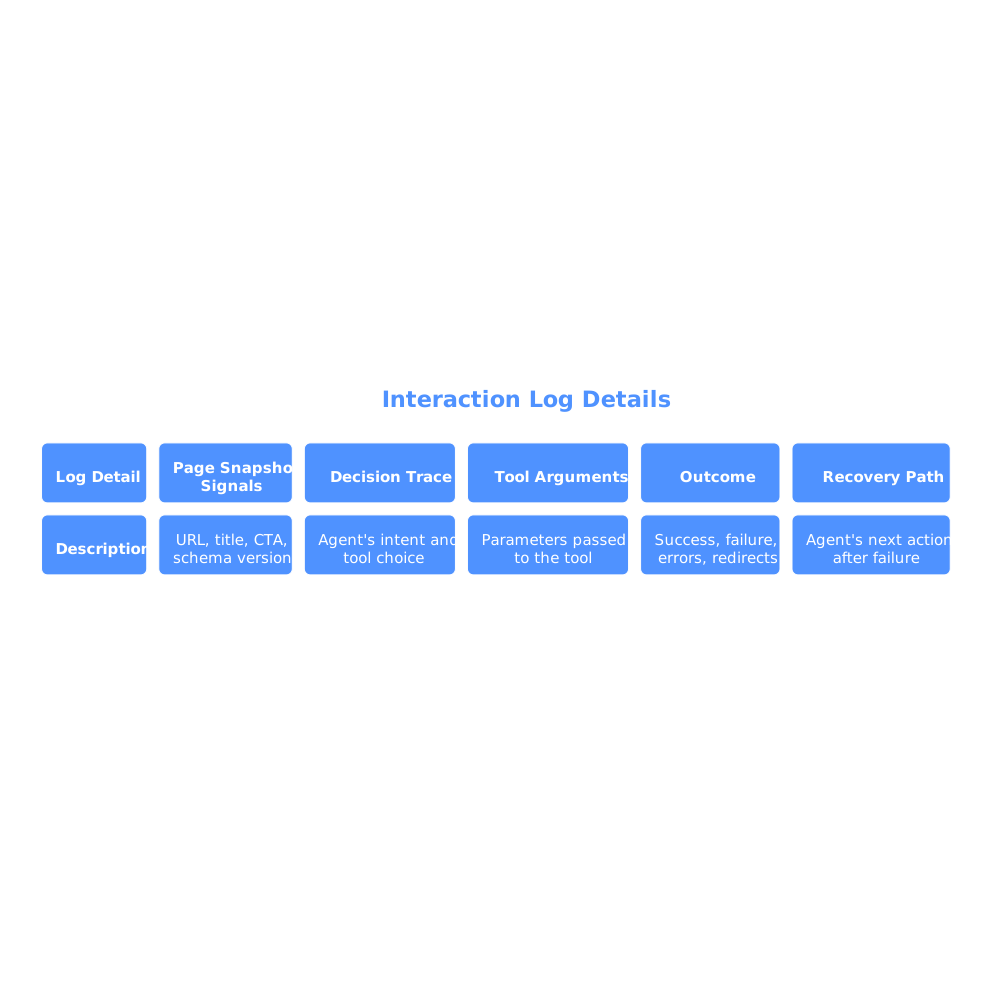
Interaction logs turn “the agent failed” into a debuggable sequence: the copy implied one action, the schema was missing a precondition, or the page presented two similar CTAs and the agent picked the wrong one.
How to rewrite page copy so the correct tool is obvious
Even with schemas, clear copy reduces risk because agents still rely on visible text when confidence is low or when schemas aren’t present everywhere. The goal isn’t to make your site sound robotic; it’s to remove choice ambiguity at decision points.
Practical copy patterns that reduce wrong tool calls
- Use verb + object: “Export invoices CSV” beats “Export.”
- Expose side effects: “Send test email” vs “Send email to 18,240 contacts.”
- Differentiate similar steps: “Connect account” vs “Verify connection.”
- State prerequisites explicitly: “Before you run the audit, connect Search Console.”
- Name the system: “Sync from CRM” is clearer than “Sync.”
These patterns also help prevent downstream attribution errors when actions span multiple systems. If you’re already dealing with attribution and reporting drift, the same clarity mindset applies to the broader data pipeline (for example, avoiding mismatched definitions across tools); see how to stop revenue reporting mismatches between your CRM, ad platforms, and analytics.
Implementation approach: schemas first, then logs, then iteration
If you’re operationalizing agent-friendly experiences, an effective order of operations is:
- Inventory key agent journeys: onboarding, connecting data sources, running audits, exporting reports, contacting support.
- Add action schemas to high-risk pages: anywhere “Apply,” “Run,” “Connect,” “Continue,” or “Delete” appears.
- Instrument interaction logs: capture tool selection and outcomes so you can see where ambiguity persists.
- Rewrite microcopy at decision points: especially on pages where logs show frequent misfires.
- Regression-test with scripted agent tasks: ensure copy changes don’t reintroduce ambiguity.
As you scale, treat this as a form of “agent UX.” It’s adjacent to classic UX, but the constraints differ: agents need explicit intent, stable action names, and traceability. When you get it right, agents stop guessing—and your site becomes more understandable and executable inside LLM ecosystems.