The All-Text Trap in Email Warmup and Why Missing MIME Parts Hurt Inbox Placement
Jamie

Why plain-text-only emails can underperform during warmup
Warmup is supposed to be boring: you send, people “engage,” reputation slowly improves, and your real campaigns later inherit that trust. The problem is that warmup often happens under a microscope. Providers are watching patterns, content structure, and how “normal” your messages look compared to typical mail flowing through their systems.
That’s where the “all-text” trap shows up. A plain-text-only email isn’t inherently “bad,” and many legitimate senders use text-only for certain transactional flows. But during warmup, sending mostly (or only) text/plain messages—especially if you do it at scale, repeatedly, with similar templates—can quietly reduce inbox placement by making your traffic look unlike everyday human email behavior.
The issue isn’t aesthetic. It’s technical: missing or atypical MIME structure can change how filters classify your mail, how clients render it, and how engagement signals are measured.
What “missing MIME parts” actually means
Most modern email is multipart MIME. The most common structure is:
- multipart/alternative containing:
- text/plain (a readable fallback)
- text/html (the primary version for many clients)
This isn’t just convention. It’s a compatibility and authenticity signal. When a mailbox provider receives a message that consistently lacks expected parts—or has odd boundaries, broken headers, malformed encodings, or missing charsets—it can resemble low-effort automation, poorly configured scripts, or legacy tooling that spammers still use.
Even when your message is legitimate, a warmup stream dominated by unusual structures can create a reputation “shape” that doesn’t match the kind of mail you’ll later send for real (newsletters, sales outreach, onboarding sequences, or customer updates). That mismatch matters.
How all-text warmup can quietly tank inbox placement
1) Your warmup traffic stops looking like “normal” user mail
Real humans send a mix: replies, forwards, short notes, long notes, HTML signatures, quoted threads, and occasional attachments. If your warmup is mostly standalone text/plain messages with minimal threading, minimal variation, and repetitive phrasing, it can look like synthetic traffic—especially when combined with consistent sending cadence.
Warmup is not just about volume ramp. It’s about training mailbox providers to recognize your identity as a predictable, safe sender whose mail generates believable downstream behavior.
2) Engagement signals can become weaker or less representative
Engagement isn’t only “open” and “reply.” Providers infer satisfaction signals from many interactions: reading time, scrolling, moving messages, starring, and rescuing from spam. A plain-text message can still be engaged with, but if it renders as a bare block of content without the cues people typically interact with (signature formatting, recognizable layout, consistent brand elements), your engagement footprint may be less “human-looking.”
During warmup, you want your engagement patterns to resemble how recipients behave with legitimate mail in the same ecosystem.
3) Rendering and client quirks can create accidental negative signals
Plain text is reliable, but not always predictable across clients. Some clients auto-link phone numbers or URLs; others wrap long lines strangely; some show raw characters if encoding is off. If your sending tool doesn’t consistently set headers like Content-Type with charset, or if it breaks line lengths, you can end up with messages that look messy in the inbox.
When warmup recipients (or warmup network accounts) triage those messages quickly—or delete without reading—your engagement quality can degrade even if the system is “doing warmup.”
4) Your future campaigns won’t match your warmup fingerprint
A common warmup mistake is building reputation with one kind of email and then switching to another. If warmup traffic is almost entirely text/plain, but your real outbound is HTML with branding, links, and tracking parameters, you’ve effectively changed the content and structural signature overnight.
This is similar to the broader deliverability issue where stopping and restarting sending can reset how providers interpret your traffic. If you’ve ever paused sending and seen performance dip afterward, you’ll recognize the pattern—your sender history becomes less reliable. (Related: Why Pausing Email Sending Can Hurt Deliverability and How to Recover After a Break.)
What “good” MIME structure looks like during warmup
You don’t need fancy templates. You need normal-looking messages with correct structure. A healthy baseline for warmup outreach-style mail:
- multipart/alternative with both text/plain and text/html
- Clean headers (From, Reply-To if used, Message-ID, Date)
- Consistent charset (typically UTF-8)
- Reasonable line lengths and correct MIME boundaries
- A simple HTML body that mirrors the plain-text content (not a totally different message)
- A natural signature block (often the biggest “human email” cue)
HTML doesn’t need to mean images and buttons. A few paragraphs with basic formatting is enough. The goal is “ordinary,” not “marketed.”
How to avoid the all-text trap without over-optimizing
Keep the plain-text part, but don’t ship only plain text
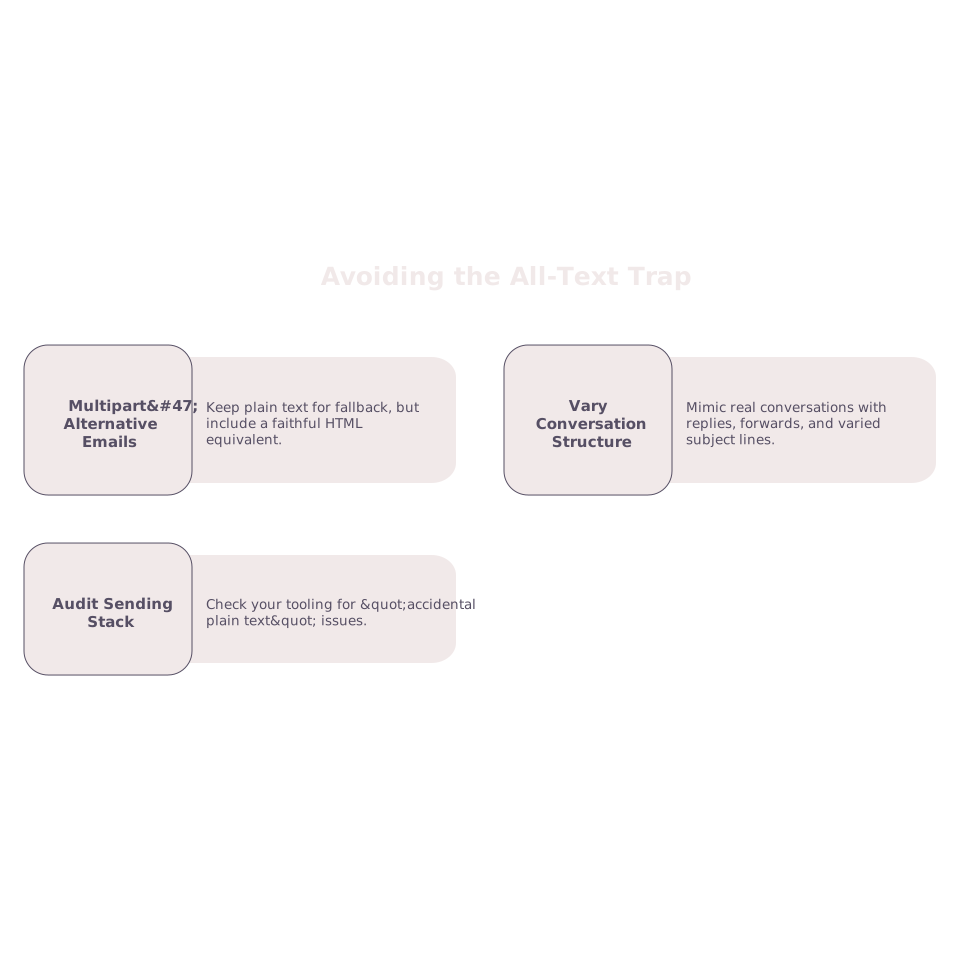
Plain text is valuable as a fallback and accessibility layer. Many providers and clients expect it. But as a warmup-only pattern, it can be limiting. Prefer a multipart/alternative email where the text/plain part is readable and the HTML part is a faithful equivalent.
Vary structure the way real conversations vary
Warmup works best when it mimics real behavior: replies inside existing threads, occasional forwards, short follow-ups, longer notes, and varied subject lines. If you send low volume or irregularly, be extra careful: repetitive all-text messages stand out more when you don’t have much positive history. (Related: The low-volume trap and how to warm up inboxes for irregular sending.)
Audit your sending stack for “accidental plain text”
Sometimes you’re not choosing plain text—your tooling is. Common causes include:
- Using a basic SMTP script that never sets multipart boundaries
- Template engines that strip HTML under certain conditions
- Incorrect Content-Type headers or missing charset
- Reply messages generated without HTML parts
Look at the raw source of messages in Gmail/Outlook and verify the MIME structure matches your intent.
Where a warmup platform helps in practice
A reliable warmup platform reduces the chance that you “train” inboxes on an unrealistic sending pattern. mailwarm focuses on generating authentic engagement signals (opens, replies, inbox interactions, and spam recovery actions) across major providers while you gradually build reputation. That matters because the warmup goal isn’t just sending more—it’s building a credible history that aligns with how your mailbox will behave when real campaigns start.
Even with automation, it’s worth ensuring your templates and sending configuration include the MIME parts you’ll use later. Warmup should look like the beginning of your real email life, not a separate species of email traffic.