From AI React Prototype to Maintainable Supabase App Workflow
Jamie
Start with a prototype you can actually keep
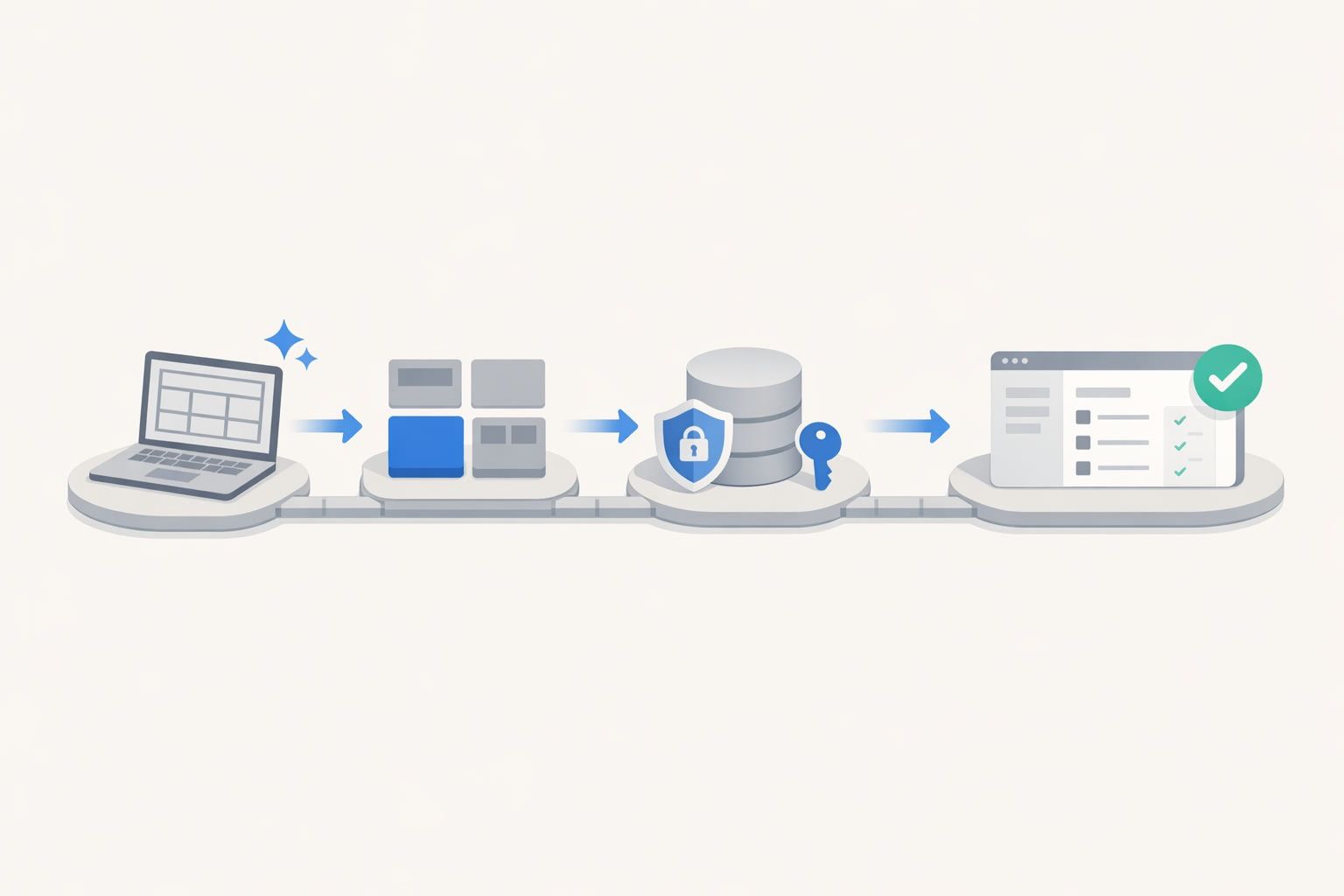
AI-generated React prototypes are getting good enough that the first screen you see feels “done.” The trap is treating that output as production code. A practical workflow is to assume the prototype is a fast, disposable draft, then deliberately convert it into a maintainable React + Supabase app with real structure, tests, migrations, and a clean pull request.
If you’re building with a tool that already targets a standard stack, you can shorten that conversion step dramatically. Projects created with lovable.dev are built on React, Supabase, and Tailwind from day one, and can sync to GitHub early, which makes a disciplined PR workflow much easier to keep consistent across a team.
Phase 1: Lock the scope before you touch the code
Write the prompt as a spec, not a wish
Before generating anything, take five minutes to define the “vertical slice” you want to ship. That slice should include one core user journey (for example: sign in → create an item → view it in a list). Your prompt should include:
- Actors (anonymous user, authenticated user, admin)
- Core data objects (tables and fields at a high level)
- Non-negotiables (RLS required, accessible forms, error states)
- Out of scope (payments, advanced roles, analytics)
This prevents “prompt drift,” where the UI grows features that your database and auth model can’t support cleanly.
Decide what “maintainable” means for this project
Maintainability is not abstract. Pick a few enforceable standards:
- TypeScript everywhere
- One routing approach (React Router, Next.js App Router, etc.)
- UI components only from one library or your own primitives
- Supabase access behind a small data layer (no scattered client calls)
- Mandatory RLS policies for user-owned data
If you work with multiple stakeholders, it helps to treat incoming feedback as a queue you actively manage. Otherwise you end up shipping half-fixes and “just one more tweak” forever. The pattern is similar to managing hidden backlog risk described in The Silent Queue Problem and How to Keep Customer Bugs From Derailing Your Roadmap.
Phase 2: Generate the prototype, then freeze it
Generate quickly, iterate visually, then stop
The point of the prototype is to converge on layout, navigation, and copy fast. Use visual tweaks for spacing, colors, and text until the screens match the workflow you defined. Once the UX is “good enough,” freeze UI changes and move to code quality.
A common failure mode is continuing to regenerate UI while you’re also starting database and auth work. That creates constant merge pain and makes it impossible to isolate regressions.
Make the prototype exportable immediately
Even if you’re still exploring, set up GitHub synchronization early so every meaningful iteration is captured in commits. The best time to create a repository is before you start “fixing” anything, so you can always compare what changed during the hardening pass.
Phase 3: Turn the UI draft into a real app structure
Restructure folders around responsibilities
AI prototypes often ship as a flat set of components. Refactor into predictable boundaries. One pragmatic layout looks like:
- /app or /pages: routes and route-level loaders
- /components: presentational components (buttons, modals, tables)
- /features: domain modules (projects, tasks, profiles)
- /lib: supabase client, helpers, environment parsing
- /styles: Tailwind config, global styles
The goal is simple: when someone asks “where does this logic live?” there’s only one reasonable answer.
Introduce a data access layer for Supabase
Prototype code typically calls Supabase from UI components. Replace that with small functions per feature: createTask, listTasks, updateTask. This gives you:
- Consistent error handling and logging
- Type reuse (especially if you generate types from your database)
- Easier testing with mocked calls
Keep the layer thin. You’re not building an enterprise repository pattern; you’re making boundaries that prevent the app from becoming a tangle.
Phase 4: Make Supabase authoritative with schema, RLS, and migrations
Model the database from the workflow
Take the “vertical slice” and build only the tables it needs. For a typical multi-user app, that often includes:
- A profiles table linked to
auth.users - One or two domain tables (for example projects and tasks)
- Timestamps, ownership fields, and basic constraints
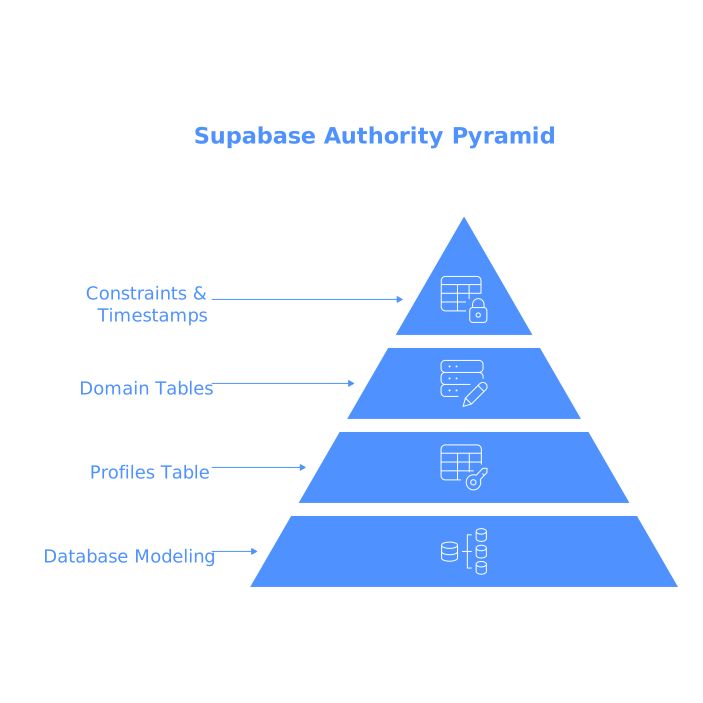
Then generate TypeScript types from the schema (or keep a shared type definition) so UI and API calls can’t silently diverge.
Enforce Row Level Security from day one
RLS is not a “later” step. Enable it immediately and write policies that match your user model. A safe baseline for user-owned rows is:
- Authenticated users can select only rows where
user_id = auth.uid() - Authenticated users can insert rows only with their own
user_id - Authenticated users can update/delete only their own rows
If you’re building multi-tenant features, treat “tenant boundaries” like a security perimeter and design policies accordingly. (That’s also where per-tenant secrets and RBAC become non-negotiable.)
Use migrations so the PR is reproducible
Whether you use the Supabase CLI or another migration approach, the rule is: the database state should be rebuildable from version control. A maintainable app is one where a new developer can pull the repo, apply migrations, and get the same schema you tested.
Phase 5: Replace prototype state with predictable app state
Normalize form handling and validation
AI prototypes often mix uncontrolled inputs, local component state, and ad-hoc validation. Standardize it. Pick one form approach and enforce:
- Client-side validation with clear error messages
- Server-side validation assumptions (Supabase constraints and RLS)
- Consistent loading and disabled states
When you do this early, you avoid a class of bugs that otherwise looks like “random flakiness” in production.
Handle errors and empty states intentionally
Prototype UIs often assume happy paths. Production apps need:
- Empty list states that teach the user what to do next
- Retries and helpful error messaging for network failures
- Auth expiry handling and clear sign-in prompts
This is also where you should decide how to log errors (console in dev, an error tracker in prod) and how to surface them to users without leaking internals.
Phase 6: Turn the hardening work into a clean pull request
Commit in reviewable slices
A good PR is not “2,000 lines of refactor + schema + UI tweaks.” Break it into a few commits that tell a story:
- Project structure refactor
- Supabase schema + migrations + types
- RLS policies
- Data layer and component updates
- UX fixes: loading, errors, empty states
This makes review faster and rollback possible.
Add a PR checklist reviewers can trust
Include a short checklist in the description:
- Migrations apply cleanly on a fresh database
- RLS enabled on all user data tables
- Basic flows manually tested (sign in, create, view, edit, delete)
- Lint and typecheck pass
- No direct Supabase calls from presentational components
If you’re using a builder-to-GitHub sync workflow, keep the “generated prototype” commits separate from “hardening” commits. That clarity pays off the first time you need to bisect a regression.
Phase 7: Set the app up for iteration without chaos
Define how feedback becomes work
Once a prototype becomes a real app, you will get requests from sales calls, support threads, and internal stakeholders. The maintainable move is to standardize how you log and deduplicate them so you don’t build the same fix twice with different labels. If that problem sounds familiar, the approach in Feedback Debt and How to Spot Duplicate Requests Across Support Sales and Forums maps well to productized internal tools too.
Keep the prototype advantage without keeping prototype code
The “AI speed” advantage is real when the output is treated as a first draft: you get instant UI exploration, then you apply the same engineering discipline you would to any React + Supabase system. Tools like lovable.dev are most useful when they let you start fast and still end up with code you can own, review, and ship through standard Git workflows.